
Browser with a streamline media downloader
Torch Browser is a free web browser app. This media-focused web browser is built on the Chromium codebase and feels instantly familiar to anyone who has used Chrome. Right from the start, you’ll notice its clean, streamlined interface—tabs, bookmarks bar, and settings menus look almost identical to Chrome’s.
Top Recommended Alternative

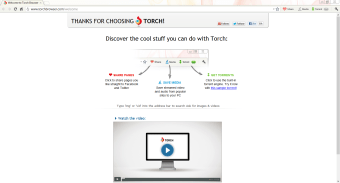
What sets Torch Browser apart is its integrated media tools, designed specifically for users who spend most of their time downloading and playing audio and video content. When you land on a page with a video, the Media Grabber button lights up.
Navigate a familiar Chromium interface
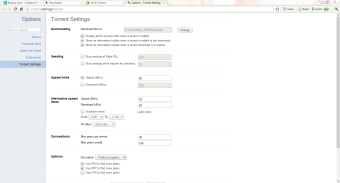
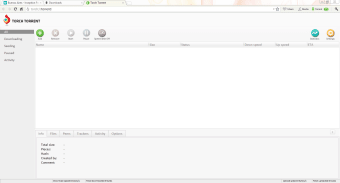
Just one click in Torch Browser, and the file begins downloading directly to your computer without needing any extensions. Once downloaded, you can play the file immediately using Torch Player, which supports virtually every common audio and video format out of the box. If you regularly use torrents, Torch Torrent is built into the browser, so you never have to switch to a separate client.
Simply open a torrent link, and the download proceeds just like it would in a standalone torrent application. In addition to these download utilities, it includes a music player called Torch Music. By clicking the music icon, a side panel slides out, giving you instant access to thousands of songs from artists around the globe. You can create playlists, save favorites, and even share them with friends via social media.
Sharing web pages, images, or videos to Facebook and X is also effortless: click the integrated share button next to the address bar, choose your platform, and the content is posted without you needing to open a separate tab. The Download Accelerator further enhances performance by breaking up large files into smaller segments, making the download speed faster, which is ideal for downloading big files.
Problems with compatibility
While most of the program’s features are great, many extensions won’t work because it’s not fully compatible with the Chrome extension ecosystem. Yes, it has a Chromium-esque interface, but at its core, it’s not fully based on it. Leading to learning curves and the added headaches of scouring the web for compatible, alternative extensions for this browser. If you can’t handle this tediousness, you’re better off using more mainstream browsers.
A lightweight browsing experience
Torch Browser provides a user-friendly Chromium interface with enhanced media tools for easy downloading and playback. It features one-click video grabbing, integrated torrent management, and a built-in media player, eliminating the need for extra software. It also includes a file transfer accelerator and seamless social sharing. While some extensions won't work with it, it still delivers efficient browsing with specialized utilities for managing audio and video.